What doomscrolling is (and why it isn't a willpower problem)
Doomscrolling is compulsively moving through an endless feed of news, short video and social posts, long past the point where it's enjoyable or useful. It feels like a personal failing, but the deck is stacked: feeds are engineered around variable rewards. Like a slot machine, the next swipe might be great, and that "might" is exactly what keeps your thumb moving. Add infinite scroll (no natural stopping point) and an algorithm tuned to serve whatever keeps you watching, and "just one more minute" stops being a decision you're really making.
The cost adds up fast. Global usage research puts average screen time at more than six and a half hours a day across devices. Even reclaiming one of those hours gives you back roughly 365 hours a year. That's nine full work weeks.
Seven tactics that actually work
1. See the habit clearly first
Most people underestimate their scrolling by half. Before changing anything, look at your real numbers: which apps, at which hours. Once you can see that your scrolling peaks at 22:00 or right after lunch, you know exactly where to aim.
2. Add friction at the moment of impulse
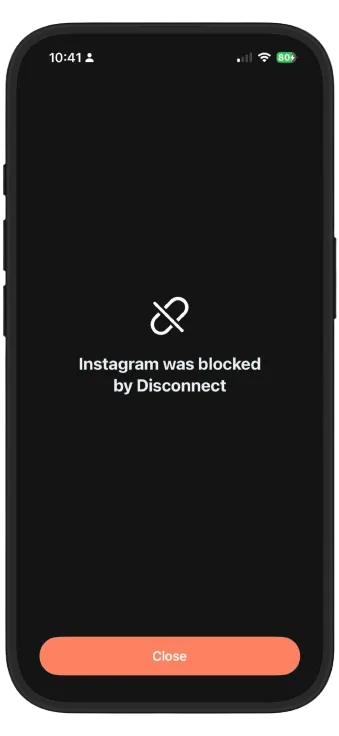
The scroll happens on autopilot, so the fix has to interrupt the autopilot. A block that replaces the feed with a "this app is blocked" screen breaks the trance at the exact moment it starts. This is the single highest-leverage change, because the app simply isn't there to fall into.
3. Remove the triggers
Turn off notifications for feed apps, and move their icons off your home screen. Every badge and banner is an invitation; decline them by default.
4. Make your no-scroll hours automatic
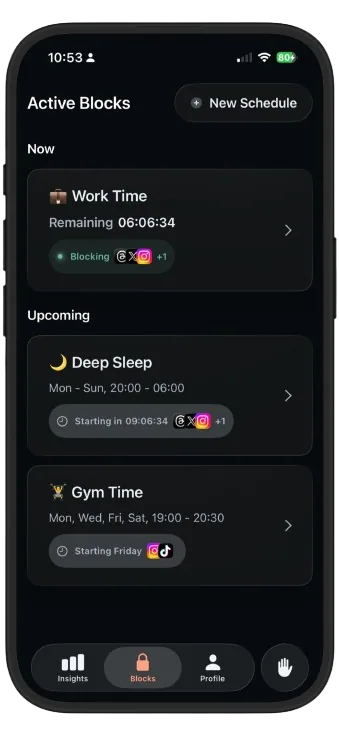
Deciding every evening not to scroll is exhausting. Deciding once that your feed apps are blocked from 21:30 to 07:00, and letting a schedule enforce it, means the battle stops being nightly.
5. Replace, don't just remove
Doomscrolling usually fills a real need: decompression, boredom, avoiding a task. Give the urge somewhere to go instead. A book on your nightstand, a podcast queued up, a short walk. The habit loop needs a new routine, not just a locked door.
6. Start embarrassingly small
A 15-minute block when you catch yourself scrolling is more useful than a heroic week-long ban you'll abandon by Tuesday. Small blocks build the evidence that you can stop, and the habit grows from there.
7. Stop negotiating with yourself
If quitting the feed depends on willpower in the moment, the feed wins. It was designed by teams of engineers to win. Let software hold the line for you.
- Open Disconnect and tap Start Block the moment you notice you're scrolling.
- Select your feed apps (Instagram, TikTok, X, Reddit) or the whole social category.
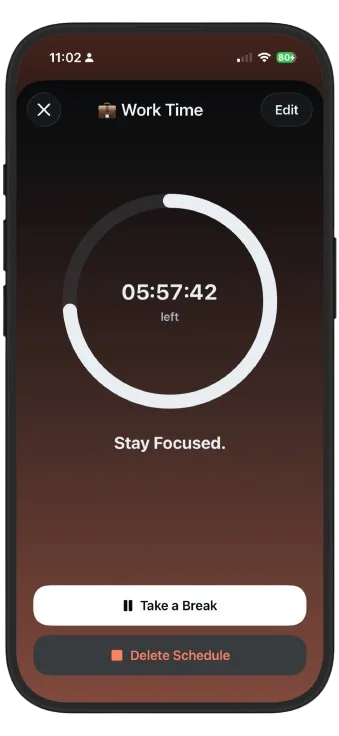
- Pick 15 minutes or longer and tap Block. The feed is replaced by a blocked screen until the timer ends.
- In Insights, watch your peak scrolling hours shrink over the week. Then add a nightly schedule to lock in the win.
What to expect in the first week
Day one, you'll hit the blocked screen surprisingly often. That's the size of the habit becoming visible, and it's a good sign. By midweek the reflex-tap starts fading. Most people notice two things quickly: evenings feel longer, and the urge to check loses its grip once it stops being rewarded. Keep the blocks small, keep them automatic, and let the streak do the rest.