Why night scrolling costs more than the minutes
Phone use in bed hits sleep from three directions at once. The scrolling itself delays sleep, because feeds have no ending and so no natural "done" cue. The content arouses: news, drama and novelty are the opposite of winding down. And the habit compounds. Sleep researchers call the pattern revenge bedtime procrastination: sacrificing sleep to claw back leisure time from a busy day. The cruel twist is that the "reclaimed" time rarely feels good, and the shortened sleep makes tomorrow more depleting, which fuels tomorrow night's scroll.
Why willpower specifically fails at night
Self-control is a daytime resource. By 22:00 you're running on the day's leftovers, which is exactly when the decision "phone or sleep" arrives. Any solution that depends on choosing well at your most depleted hour is designed to fail. The fix is to make the decision earlier in the day, once, and have it enforce itself at night.
The wind-down setup
1. Set a phone bedtime, earlier than yours
Pick the moment your scrolling apps go offline each night, 30 to 60 minutes before you want to sleep. That buffer is where wind-down actually happens.
2. Make it automatic, every night
A nightly schedule, not a nightly decision. When the feeds block themselves at 21:30 whether or not you feel disciplined, the bedtime negotiation simply stops existing.
3. Keep the useful, lose the endless
You don't need to brick the phone. Block the endless things (social feeds, video, news) and keep alarms, messages and your sleep sounds. The phone stays a tool; it stops being a slot machine.
4. Give your hands something else
The first nights, the urge will look for a target. A book or e-reader on the nightstand converts blocked-screen moments into pages read. Boring is the point. Boredom is the on-ramp to sleep.
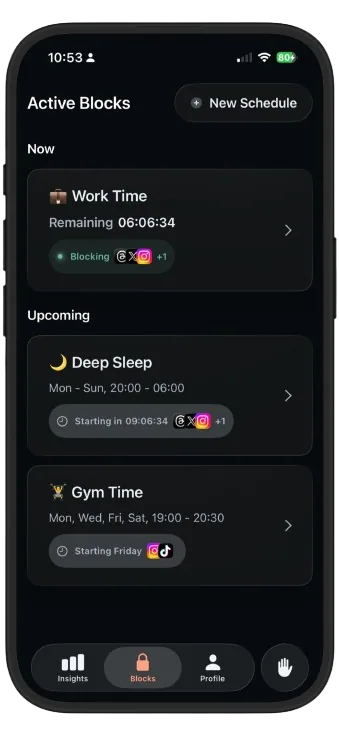
- In Disconnect, tap New Schedule and name it Deep Sleep.
- Select your night-time offenders: social feeds, video apps, news, whatever the Insights chart shows spiking late.
- Set it for every night, e.g. 21:30 to 06:30, covering the morning scroll too, so you wake up to a quiet phone.
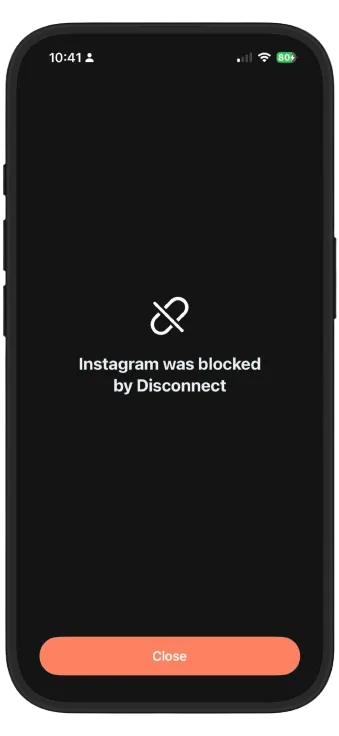
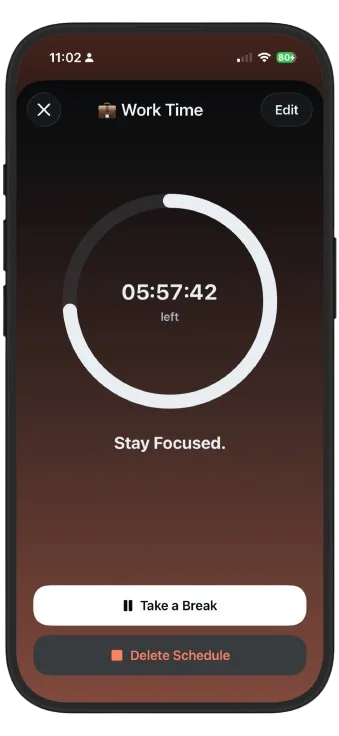
- Done. Every night from now on, the feeds shut themselves off. If you truly need an app, take a deliberate break. It's awkward enough that you'll only do it on purpose.
The first week, honestly
Nights one to three: you'll pick up the phone out of habit, meet the blocked screen, and feel weirdly restless. That's the habit unwinding, not a sign it isn't working. Most people fall asleep noticeably faster within the week, and the morning version of the schedule pays a second dividend: waking up without immediately loading the world's problems into your head.